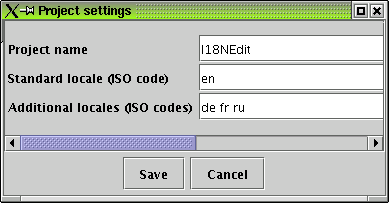
The project settings
As a developer, you can of course do everything a translator can do. But furthermore you have to setup the project.
Open the project-to-be as described above. Note that there must be a file in the "root" directory of the project. Not for the project itself but for the file open dialog, so that you can actually select something. If you have no file there, create one (and delete it afterwards). As I18NEdit always creates its own storage file in the directory, this is only a hen-and-egg-problem for you, the developer, and not for the translators.
The project settings
If the project is open, enter its "Project → Project settings" menu. Enter the three values requested:
Give it a descriptive name.
Set the locale of the default ResourceBundle (that one without any " XY"-extension).
Set all additional locales the program should be translated into. Type them in seperated by blanks. If you want to add a locale, simply append it to the already existing ones.
Your "ACMEmeter" application is English by default, and shell be translated into German, Swedish and French. You enter:
Project name: ACMEmeter frobnification
Standard locale: en
Additional locales: de sv fr
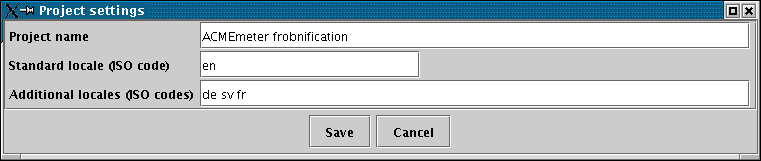
The ACMEmeter project settings
The "Grigmoq Throster" application has no real default locale. Only the locale-independant data is stored in the default ResourceBundles, everything else is in locale-specific files. You have done the English stuff, so you have a bunch of " en.properties" files. You want the German and French version to be created. You enter:
Project name: Grigmoq Throster
Standard locale: generic
Additional locales: en de fr
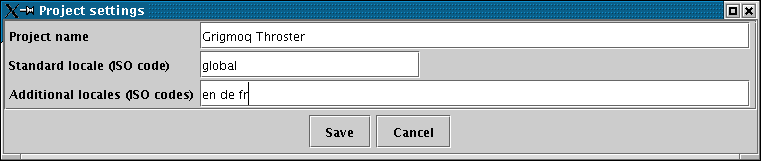
The famous Grigmoq's settings
After this setup, you can pass the data to the translators. Perhaps you want to add some comments before. You can do that for the complete Resource bundle (perhaps describing which screen shows these elements), locale-independant for each property and even for each localized property variant. Don't forget that these comments can be a great help for someone who does not know the program...
If you want to add a new locale, you should always add it before passing the complete file tree over to the translator. If you forgot that and the translator did it himself, you can also add the new locale after you got his files, directly before merging. You must, however, take care that you do not misspell the locale name.